AI Image Editor
Transform Photos Instantly
Professional AI image editor with multi-reference support, prompt-driven editing, and negative prompts. Perfect for e-commerce, marketing, and creative projects.
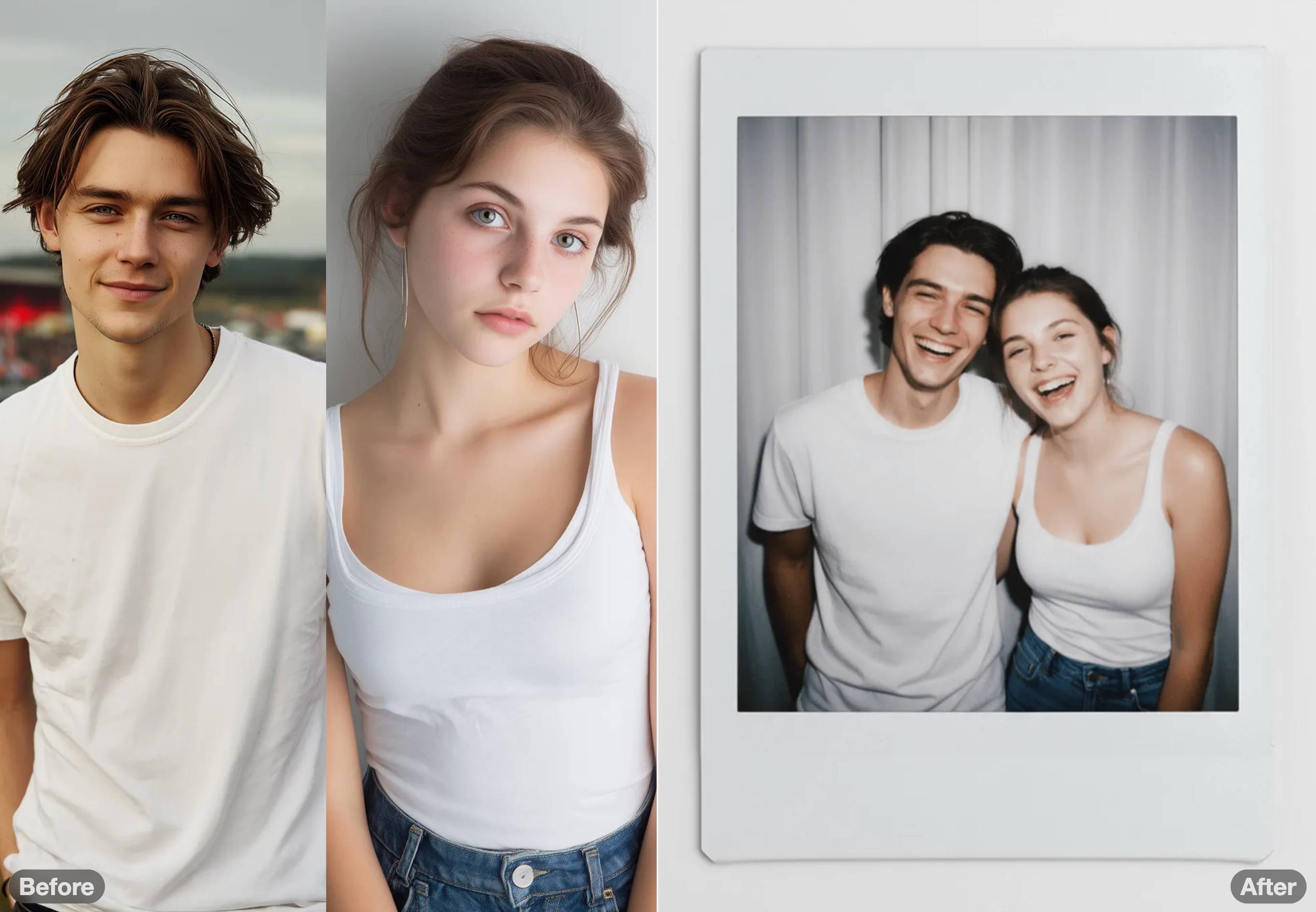
Polaroid Style
"Polaroid couple photo: pair laughing, heads together, strong flash dark-room feel with classic white-border"
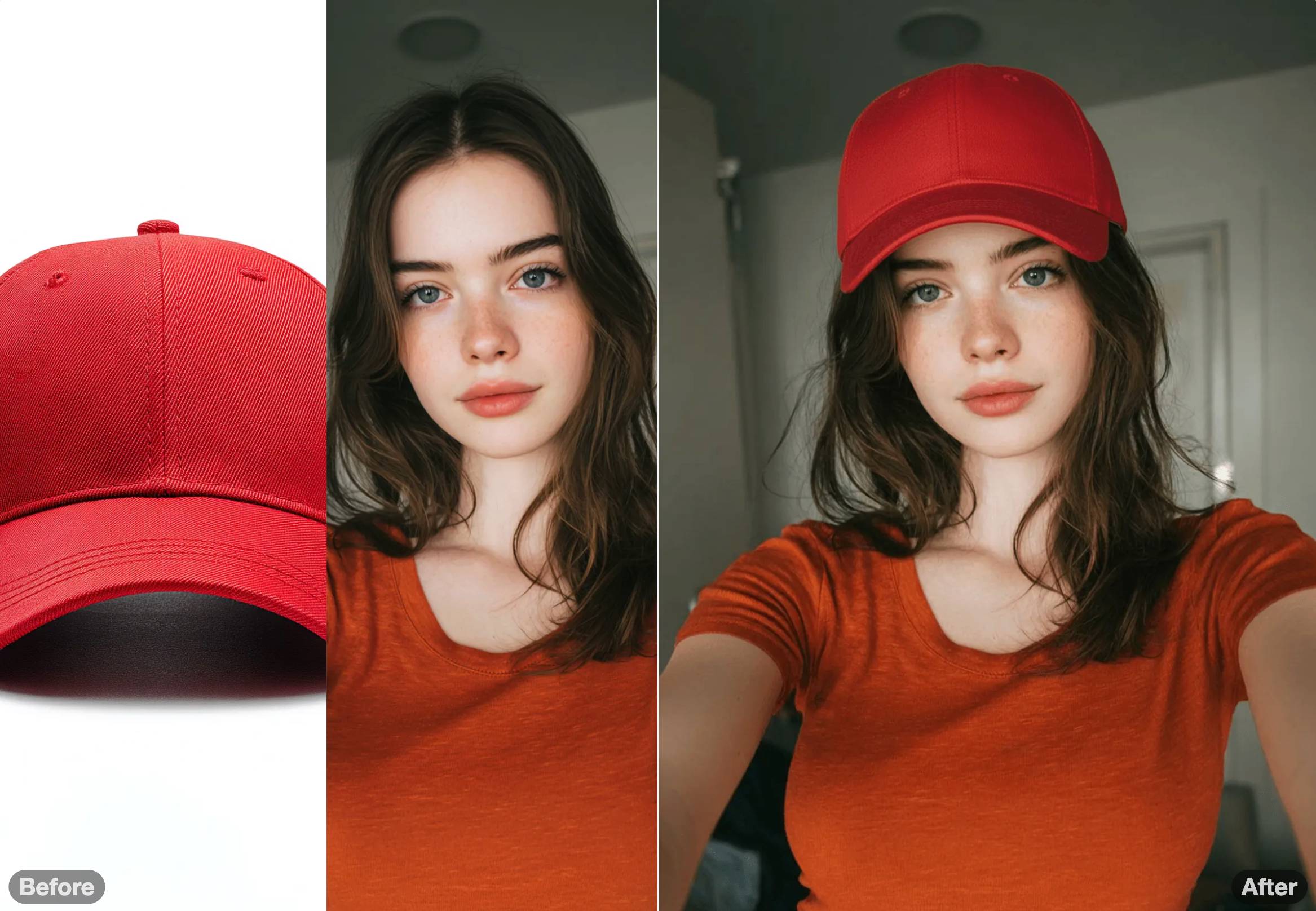
Style Transfer
"Let the girl wear the hat. It blends naturally and creates a sense of atmosphere"
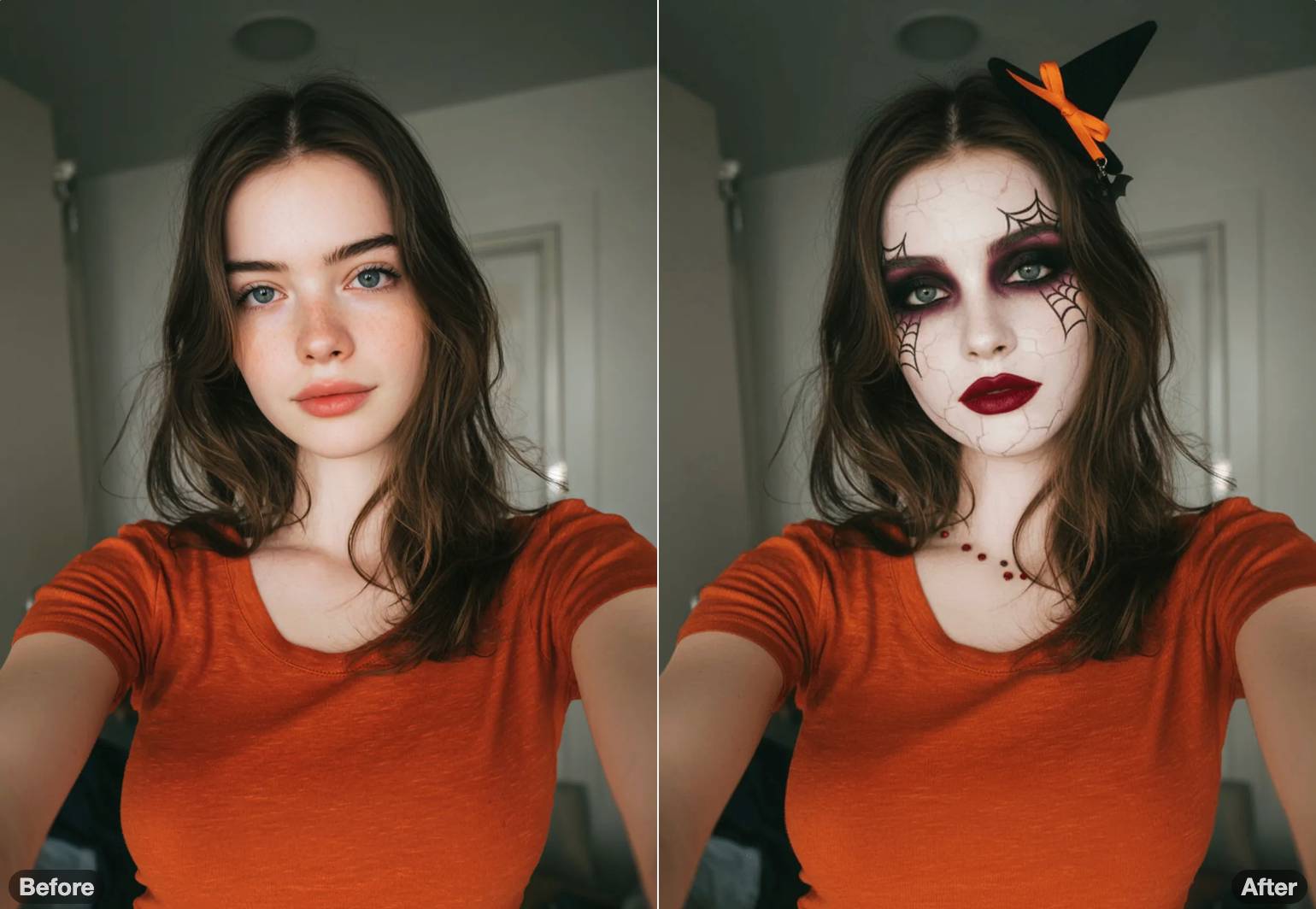
Halloween Makeup
"Dramatic Halloween look — porcelain-white base with smoky black & violet eyeshadow, blood-red lips, spider-web liner"
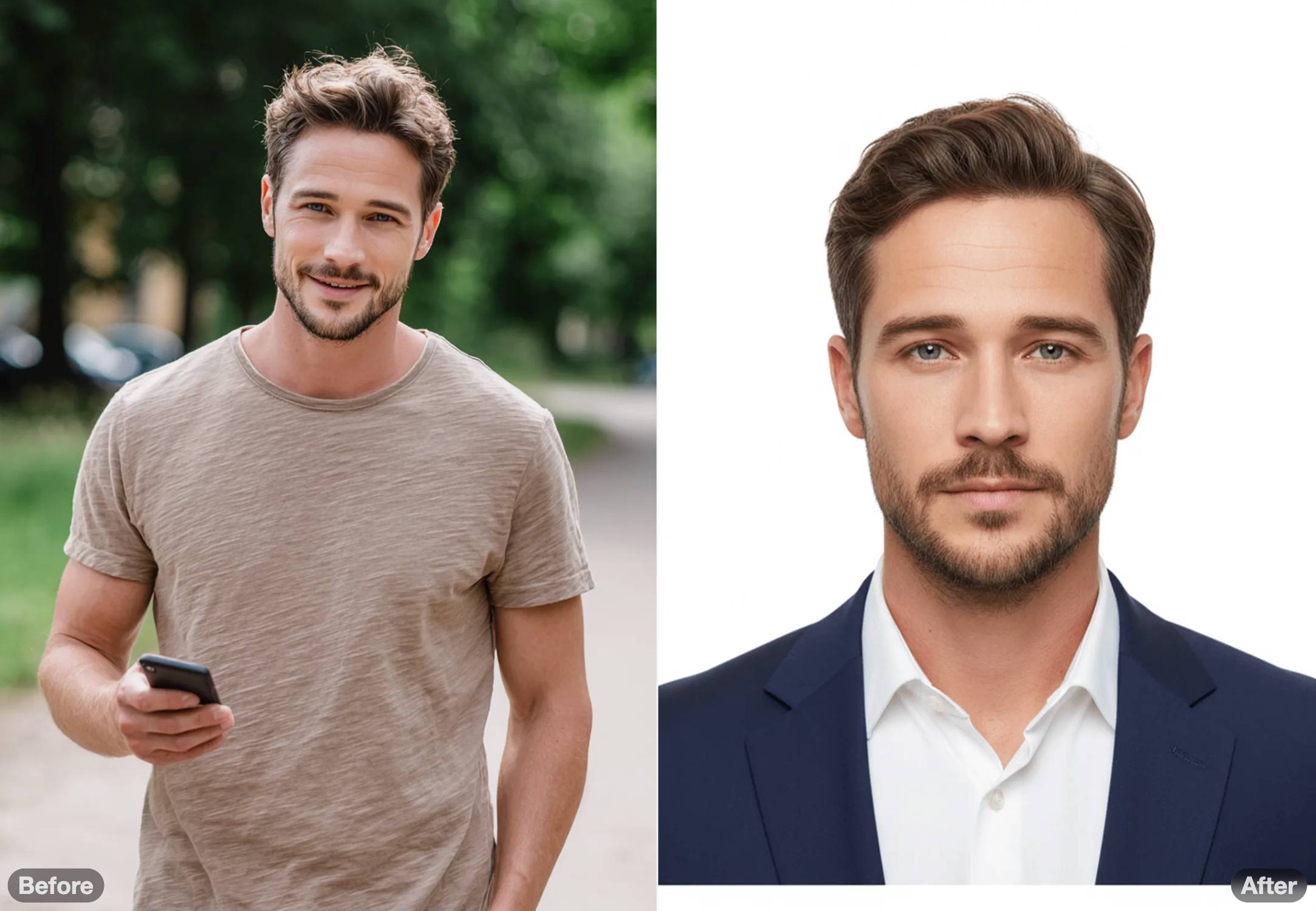
ID Photo Generation
"Ultra-realistic ID photo, shoulders-up portrait wearing a sharp navy-blue business suit and crisp white shirt"
Try AI Image Editor Now
Upload reference images, describe your edits, and let AI do the magic
Click to upload or drag images here
Upload new references or reuse results from your history
JPG, PNG, WebP, HEIF • Max 10MB
Your Creations
Polaroid Style
"Polaroid couple photo: pair laughing, heads together, strong flash dark-room feel with classic white-border"
Style Transfer
"Let the girl wear the hat. It blends naturally and creates a sense of atmosphere"
Halloween Makeup
"Dramatic Halloween look — porcelain-white base with smoky black & violet eyeshadow, blood-red lips, spider-web liner"
ID Photo Generation
"Ultra-realistic ID photo, shoulders-up portrait wearing a sharp navy-blue business suit and crisp white shirt"
No creations yet
Upload a reference image and generate your first edit.
See examples above for inspiration ✨
What You Can Create With AI Image Editor
Real examples showcasing AI image editor capabilities - from background replacement to cartoon avatars
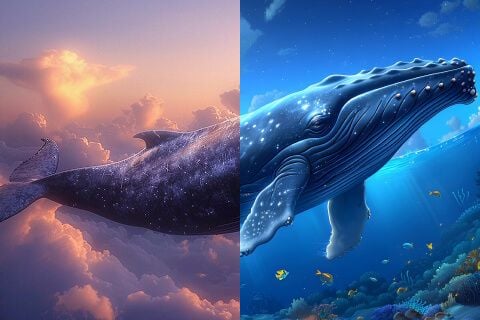
Background Transformation
Use our AI image editor to replace or modify backgrounds while preserving subject details. Perfect for product photos, portraits, and marketing materials.
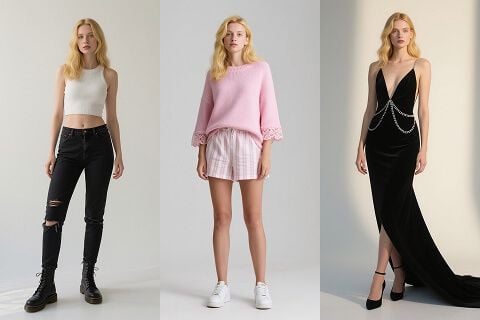
AI Outfit Change
Transform clothing and accessories with text prompts using the AI image editor. Ideal for fashion previews, e-commerce variations, and creative styling.
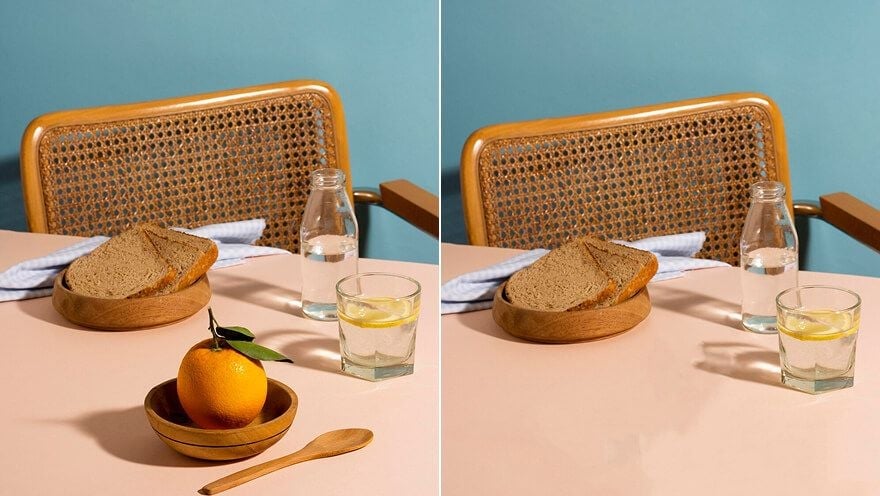
Object Removal
Eliminate unwanted elements from photos seamlessly with AI image editor. Remove blemishes, distractions, or background objects with intelligent fill.
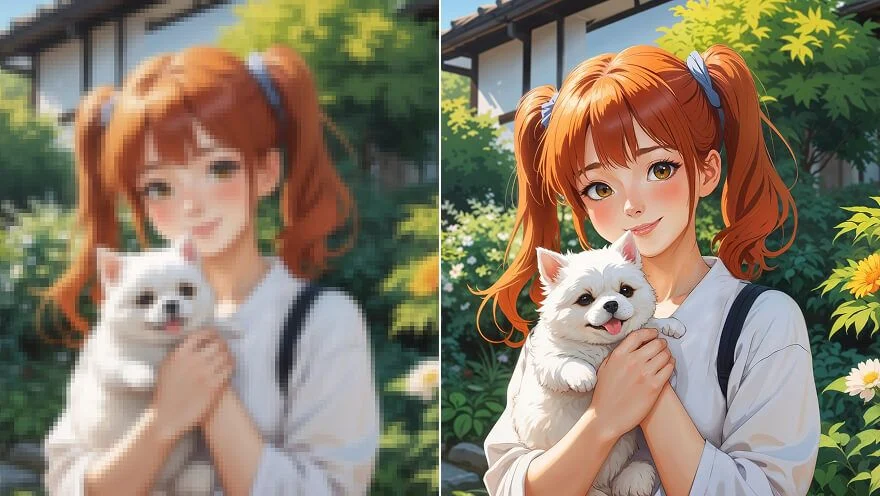
Image Enhancement
Sharpen blurry photos and enhance clarity using AI image editor upscaling. Recover details and improve overall image quality for professional results.
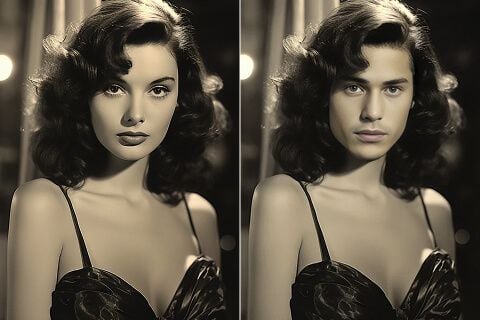
Face Swap
Replace faces naturally while maintaining lighting and perspective. The AI image editor is useful for creative projects, privacy protection, or marketing variations.
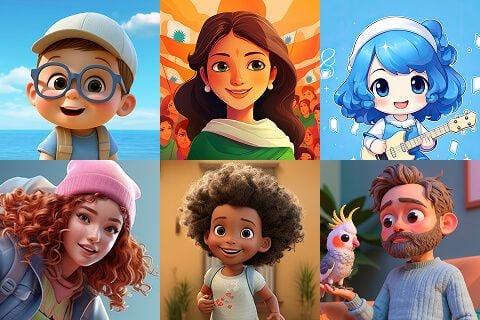
Cartoon Avatar Generation
Transform portraits into stylized cartoon or anime avatars with AI image editor. Create unique profile pictures and illustrations from real photos.
Why Choose Our AI Image Editor?
Powerful AI image editor combining multi-reference support, prompt control, and negative prompts for professional results
Multi-Reference AI Editing
Upload up to 3 reference images to guide the AI image editor. Perfect for maintaining consistency across creative projects with multiple visual inputs.
Prompt-Driven Editing
Describe your vision with text prompts. Our AI image editor understands complex instructions for precise photo modifications without technical skills.
Multiple AI Models
Choose from Nano Banana Pro, Nano Banana, or Qwen Image Edit. Select the best model for your needs - from premium quality to faster processing.
Fast AI Processing
Generate professional edits in 2-3 minutes with our AI image editor. No waiting hours - get high-quality results with industry-leading speed.
Commercial Rights Included
Full commercial usage rights with every edit. Use AI-generated images for business, marketing, e-commerce, or client projects without restrictions.
How to Use AI Image Editor
Four simple steps to transform your photos with our AI image editor
Upload References
Upload up to 3 reference images to guide the AI image editor
Describe Changes
Write prompts describing exactly what you want the AI to edit
AI Processing
Our AI analyzes your images and prompts to create perfect edits
Download Results
Get your professionally edited images in 2-3 minutes
AI Image Editor vs Traditional Editing
See how our AI image editor speeds up your workflow compared to manual editing
| Feature | AI Image Editor | Manual Editing |
|---|---|---|
| Processing Time | 2-3 minutes | 15-60 minutes |
| Skill Required | None (text prompts) | High skill level |
| Multi-Image Support | Up to 3 references | Manual layering |
| Cost per Edit | From 10 credits | High hourly rate |
| Multiple Models | ✓ 3 Options | ✗ Not applicable |
| Learning Curve | Instant | Months/Years |
| Batch Processing | ✓ Supported | Limited |
Frequently Asked Questions
Common questions about photo editing, pricing, and features
What makes this AI image editor different from others?
Our AI image editor offers unique multi-reference support (up to 3 images), advanced prompt-driven editing, and negative prompts for precise control. At just 10 credits per edit, it delivers professional commercial-grade results for businesses and individuals.
How does the AI image editor work?
Upload up to 3 reference images to the AI image editor, describe your desired changes with text prompts, add negative prompts to avoid unwanted elements, and click generate. Processing takes 2-3 minutes to deliver high-quality edited images.
What AI models are available?
We offer three AI models: Nano Banana Pro (20 credits, best quality), Nano Banana (10 credits, faster), and Qwen Image Edit (10 credits, classic). Choose based on your quality requirements and budget.
Can I use AI image editor results commercially?
Yes! All AI image editor outputs come with full commercial usage rights. Use your edited images for e-commerce, marketing, advertising, social media, and any commercial applications without restrictions.
How much does photo editing cost?
Nano Banana Pro costs 20 credits for best quality, while Nano Banana and Qwen cost 10 credits each. Packages start at $5 for 520 credits. Failed jobs are auto-refunded - pay only for successful results.
What types of photos work best?
Excellent results with portraits, products, landscapes, food, fashion, and artistic photos. Use high-quality references (512px+) with clear subjects and good lighting for optimal outcomes.
How long does editing take?
Most edits complete in 2-3 minutes. Complex images may take up to 5 minutes depending on server load. Real-time progress updates keep you informed.
Do I need editing experience?
No experience needed! Describe what you want in plain language, and AI handles the complex work. No Photoshop skills or technical knowledge required - anyone can create professional edits.
Can I edit multiple images at once?
Currently, each edit session processes one main output with up to 3 reference images for guidance. However, you can run multiple editing tasks simultaneously by opening multiple browser tabs.
What file formats are supported?
We accept JPEG, PNG, WebP, and HEIF formats for input. Output images are provided in high-quality JPEG format, optimized for web use and professional printing.
What happens if I'm not satisfied with results?
Failed generations are automatically refunded. If results don't match expectations, adjust your prompts and try again. Specific, detailed descriptions produce the best outcomes.
Can I remove backgrounds with this tool?
Yes! Use prompts like "remove background" or "white background" with negative prompts like "original background, clutter" for clean background removal. The AI intelligently separates subjects.
Is there a limit to how many edits I can do?
No daily limits beyond available credits. Purchase what you need, use anytime - credits never expire. Scale your usage freely based on project requirements.
Can I download images in high resolution?
Yes! Edited images maintain your input resolution quality, up to 4K. All outputs are optimized for both web display and professional printing needs.
How is my privacy protected?
Images are processed securely and auto-deleted after 30 days. We never share, sell, or repurpose your content. All transmissions use encrypted connections for maximum security.
Transform Your Photos in Minutes
Join 2,450+ professionals creating stunning visuals for e-commerce, marketing, and creative projects